
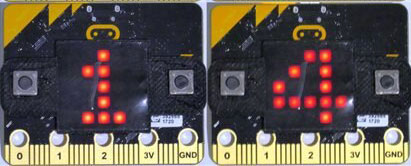
Roll the Dice
Setup the Microbit
- Launch Browser: Open Chrome
- Open Editor: Navigate to makecode.microbit.org and click the home button
- Optional: Log in if you have a google or Apple Account
- Create: a new project named "Digital_Dice".
- Hardware Pairing:
- Connect the micro:bit to the Mac via USB.
- Click the ... button next to Download, select Connect device, and pair the browser directly to the micro:bit hardware.
Create Digital Dice - Generate a random number after shaking the microbit
- Step 1: Delete the default "on start" and "forever" blocks to clear the workspace.
- Step 2: Go to Input and drag out the on shake event block.
- Step 3: Go to Variables, click Make a Variable, and name it dice_roll.
- Step 4: Drag set dice_roll to 0 and place it inside the on shake block.
- Step 5: Go to Math, drag the pick random 0 to 10 block, and snap it into the 0 slot of your variable block. Change the range from 1 to 6.
- Step 6: Go to Basic, drag show number, and place it directly underneath the variable assignment.
- Step 7: Go to Variables, Drag the rounded dice_roll variable block into the 0 slot of show number.
- Test: Click "Shake" on the Mac screen simulator to verify random numbers appear.
Test on the Microbit
- Click the Download button.
- Test the program on the microbit
Microbit for RPSEC Main Page